Powered byfolioo

Checklists that prove the work got done.

Say what the job is. PreCheck writes the steps, asks for a photo only where it matters, and keeps time-stamped proof you can share.

Download for AndroidiPhone Coming soon

Free for 7 days No card needed Works offline

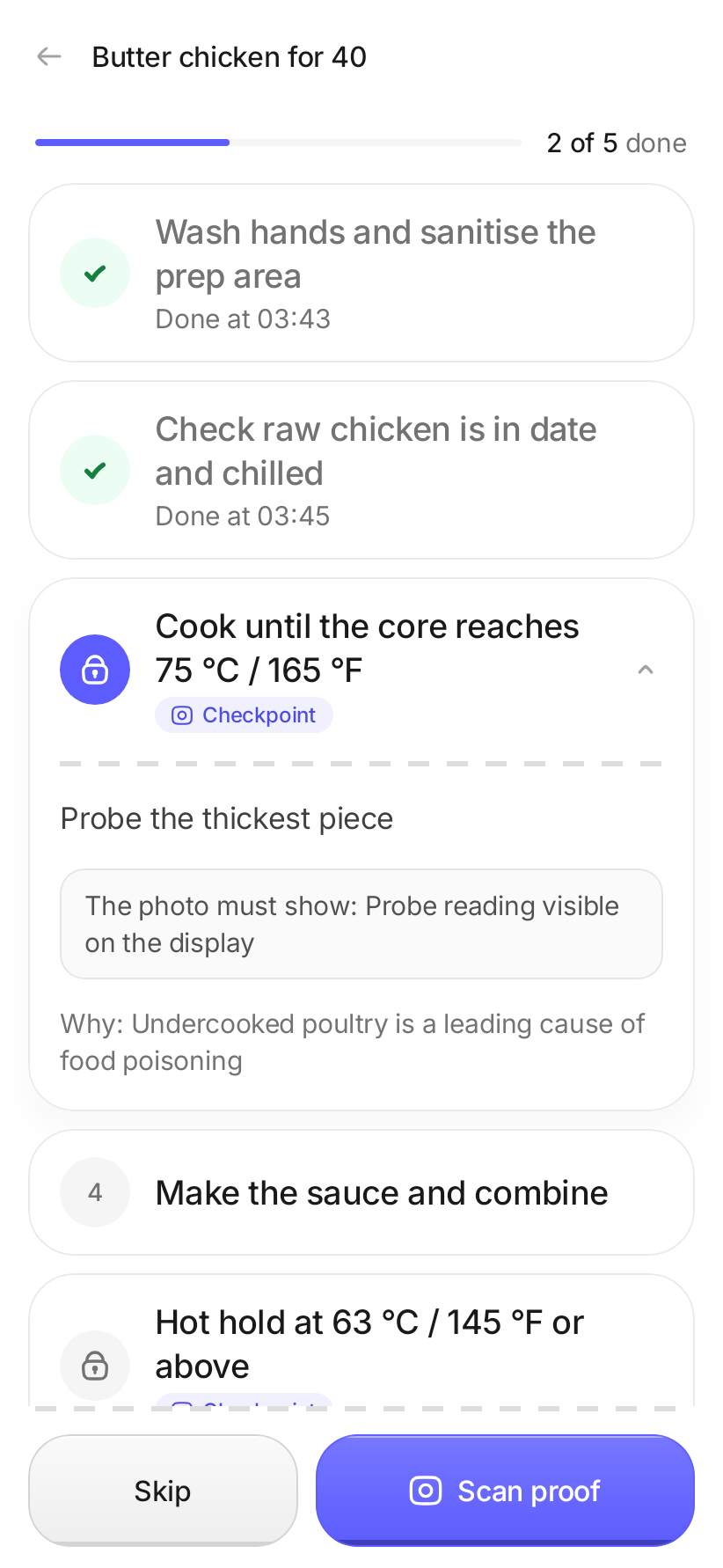
A job in progress, with a photo checkpoint
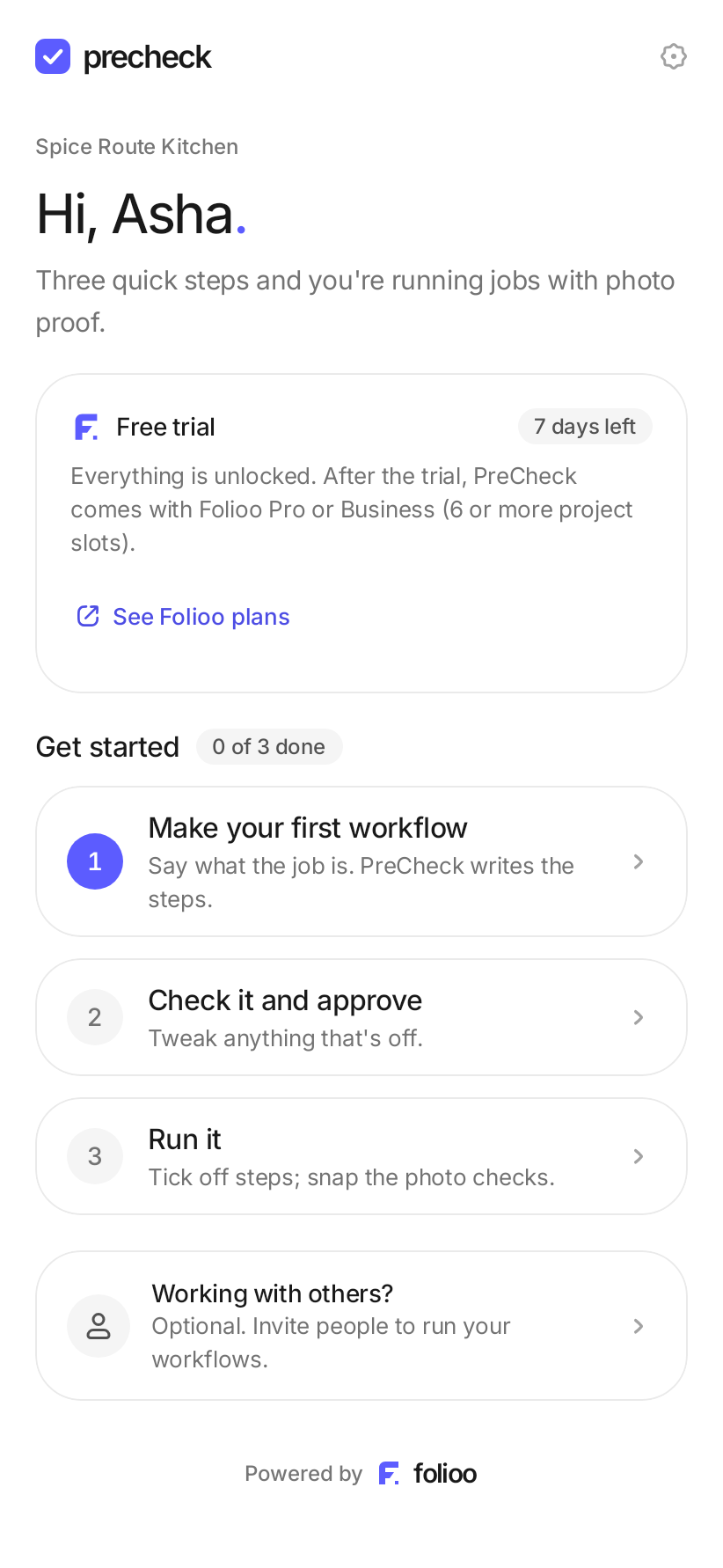
PreCheck home: free trial and three steps to get started

How it works

From a sentence to signed-off proof.

Four steps, all on your phone. Most jobs are set up in under a minute.

1

Say what the job is

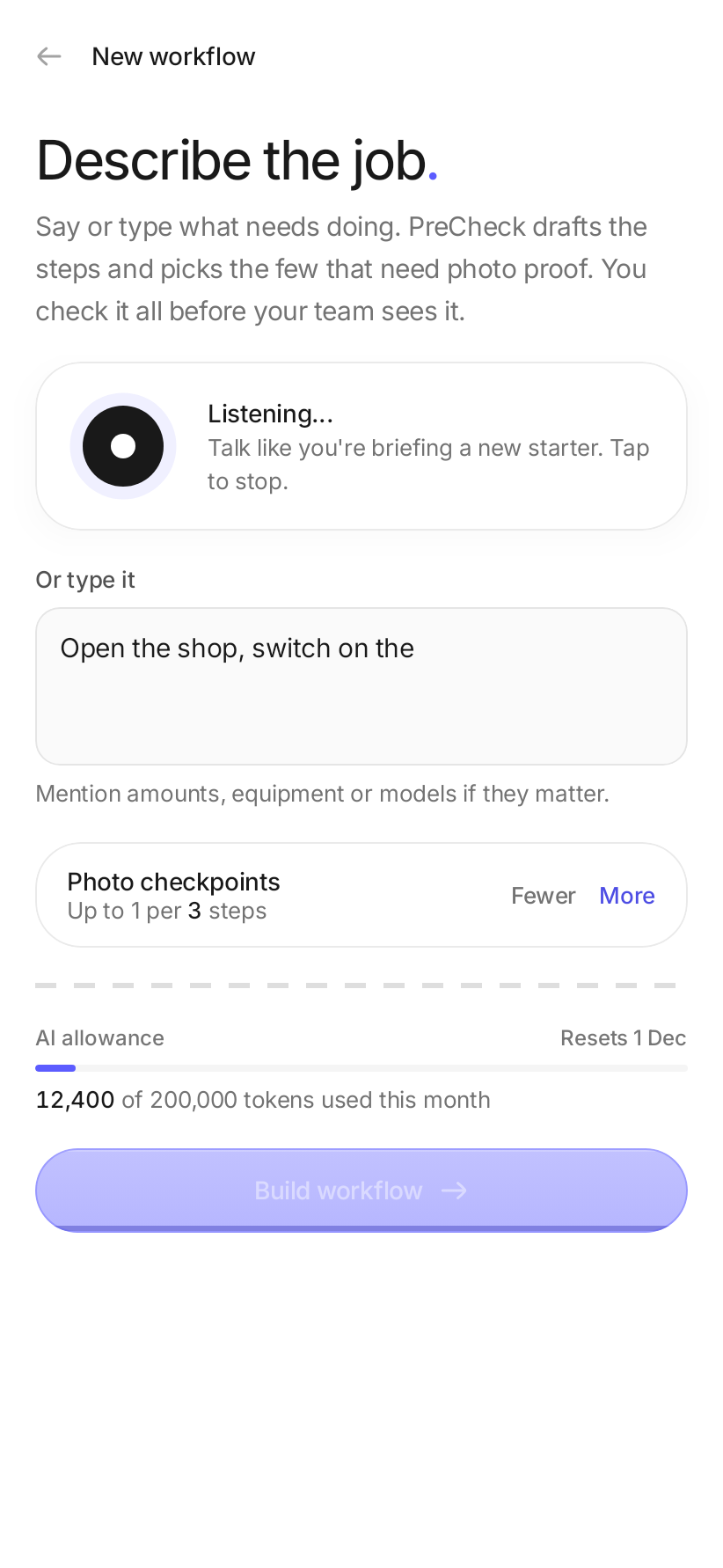
Tap the mic and describe it like you'd brief someone new. No forms, no typing. PreCheck writes the steps for you.

  • Works for any trade: kitchens, repairs, cleaning, shops
  • Speak or type, whichever is quicker
Describing a job out loud in PreCheck
2

Check it and approve

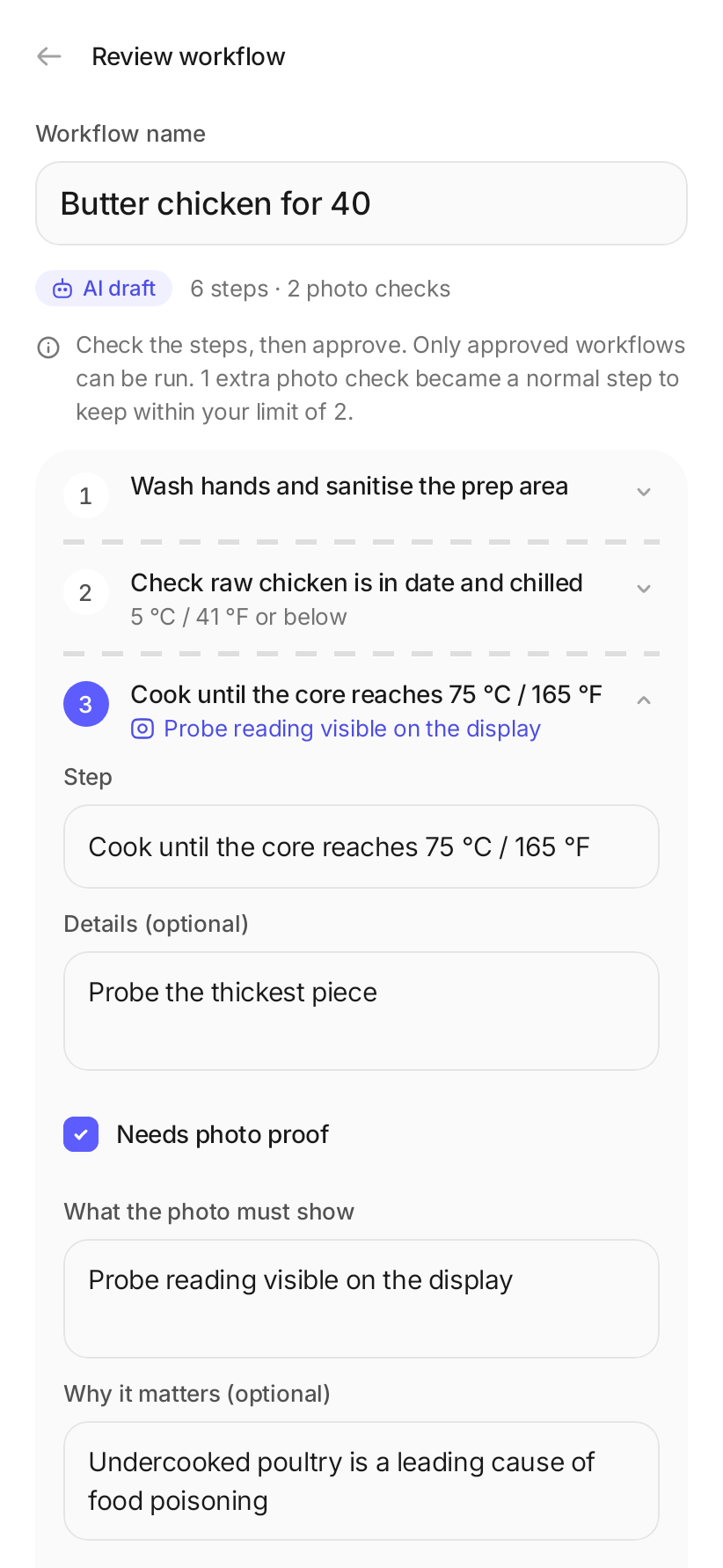
Read the steps, change anything that's off, and approve. PreCheck asks for a photo only on the few steps that really matter.

  • Photo checks on the risky steps, not every step
  • Edit, reorder or add steps in place
Reviewing an AI-drafted workflow
3

Run it with proof

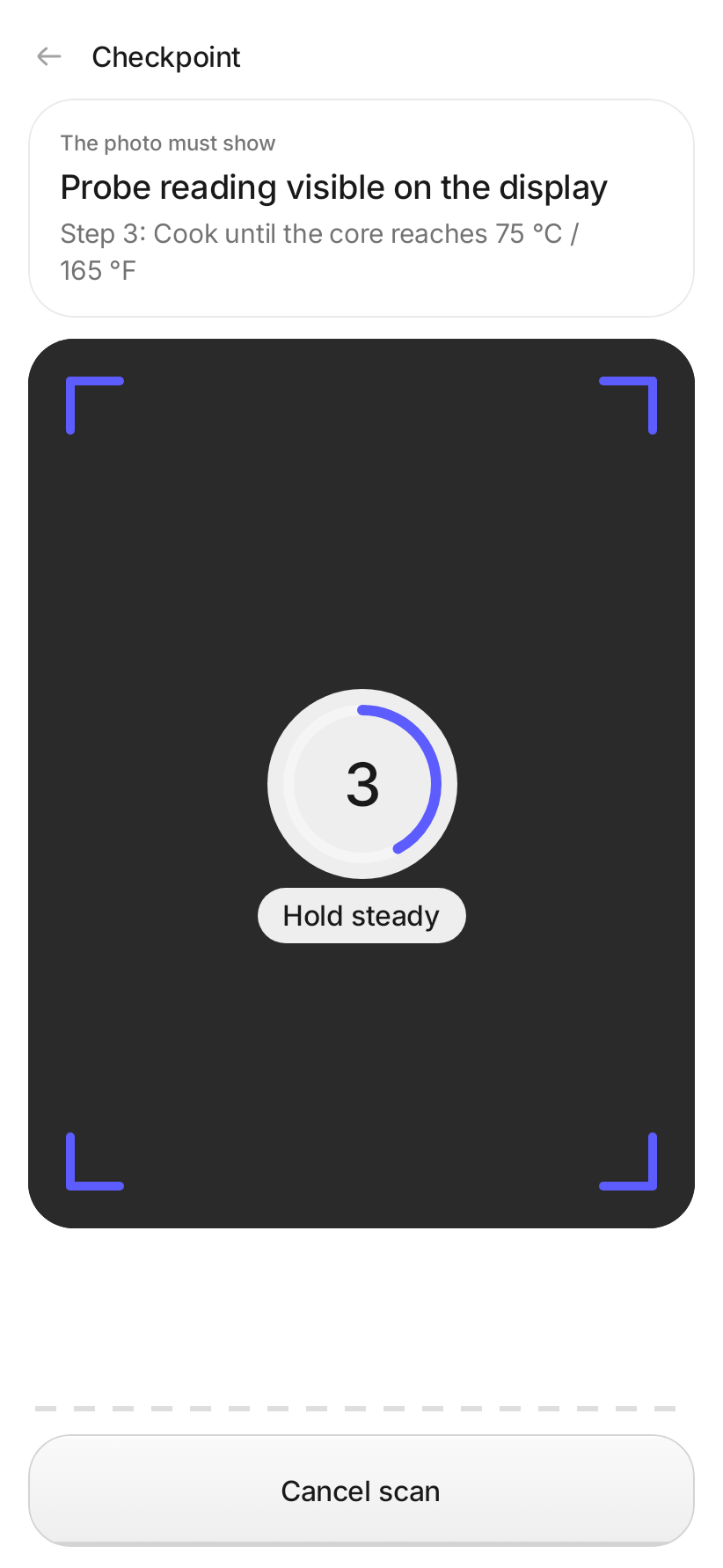
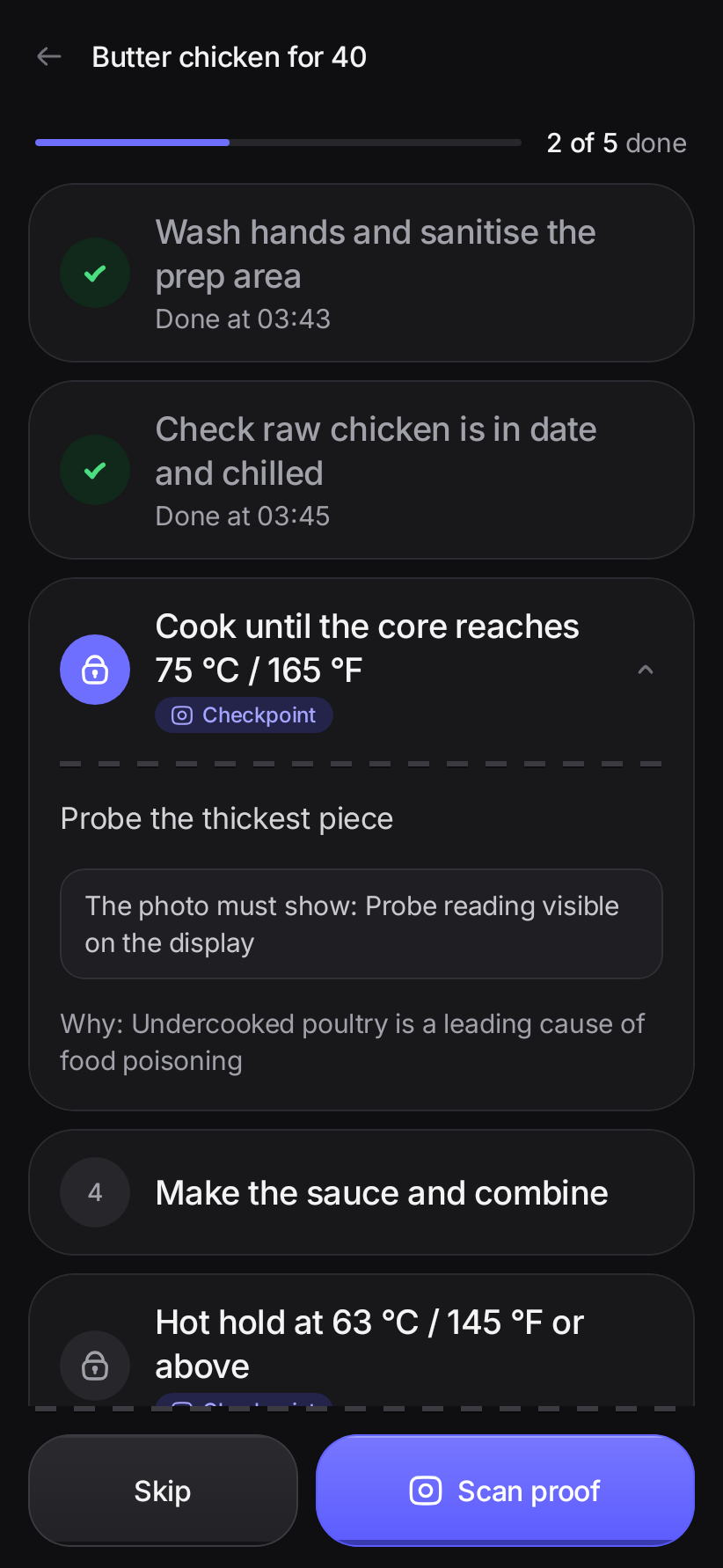
Tick steps off as you go. At a photo check, hold the phone steady for a 5-second live scan. It keeps the sharpest frame.

  • Live camera only, so photos can't come from the gallery
  • Saved with the time and place, even offline
Running a job step by step
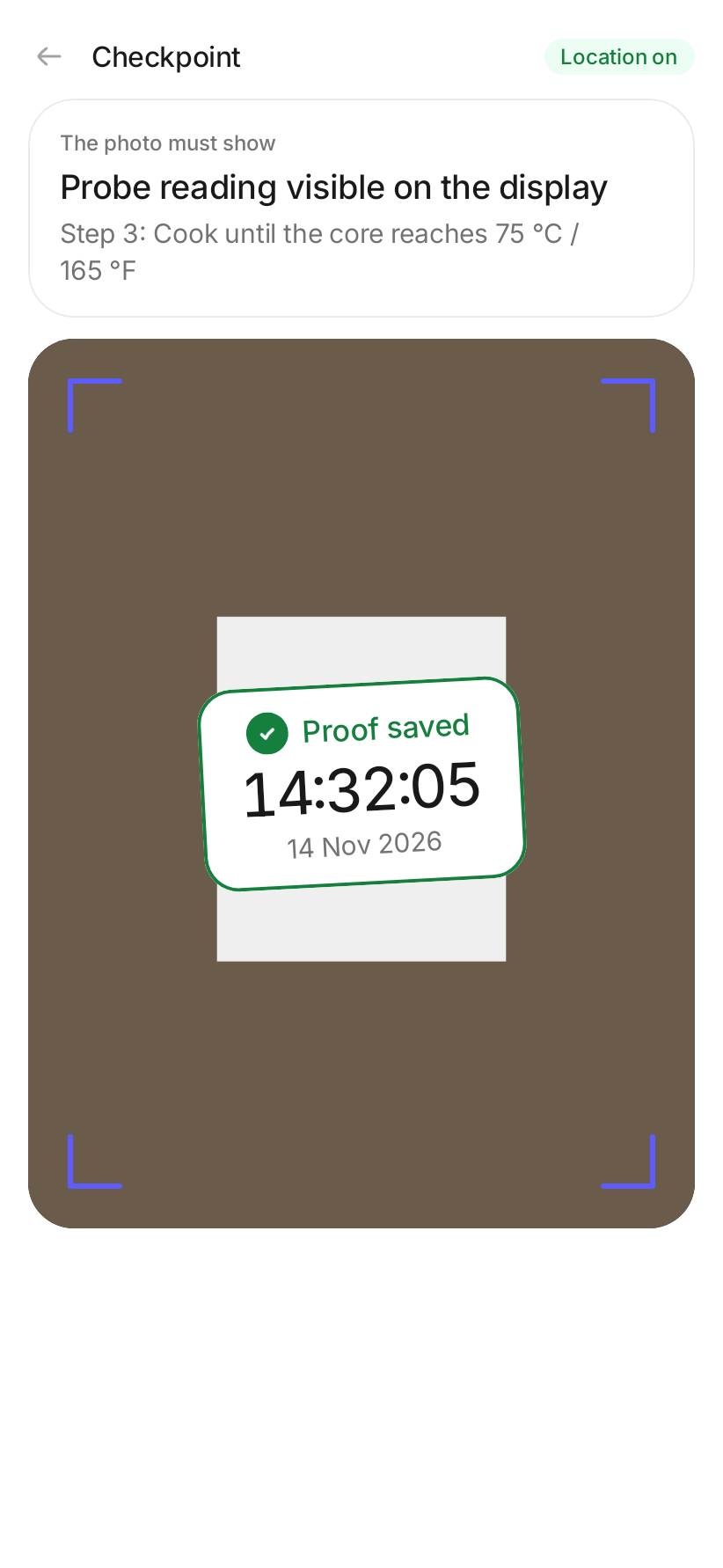
The 5-second live scan at a checkpoint
4

Share what got done

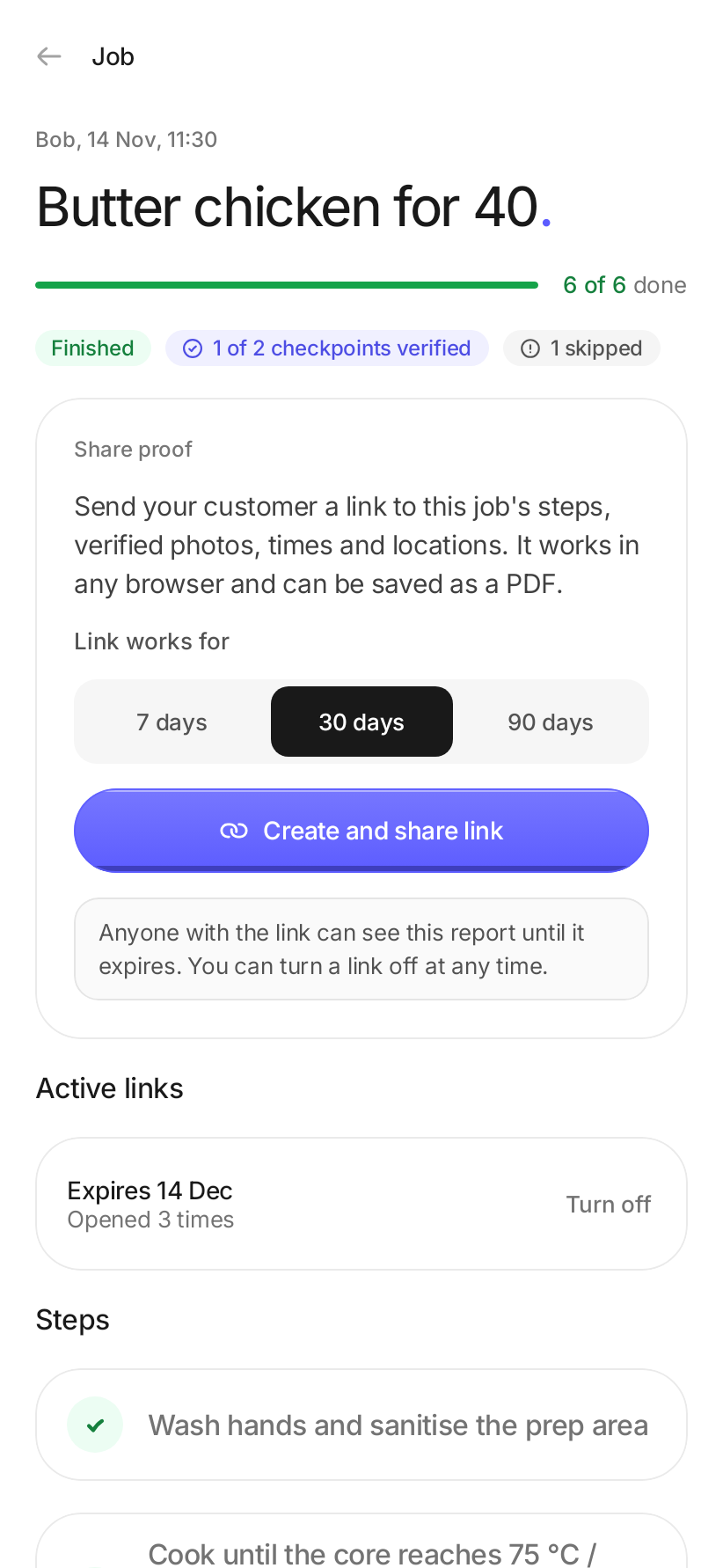
Every finished job becomes a report: steps, verified photos, times and places. Send your customer a link that opens in any browser.

  • Links expire when you choose, and you can turn them off
  • Skipped checks are shown honestly, with the reason
A finished job report ready to share
Built for the job

Simple on the surface. Solid underneath.

Works offline

Jobs and scans are saved on the phone and upload by themselves when you're back online.

Proof you can trust

Each photo gets a fingerprint linked to the one before, so a changed or swapped photo shows up.

Alerts when it matters

Get a notification when a photo check is skipped or a photo fails its check.

Team optional

Use it on your own. When you need help, share a one-time code. People you invite join free.

You decide how long

Keep proof photos for 90 days up to 3 years. The record of each check stays after the photo goes.

Made for one hand

Big buttons near your thumb, clear steps, and a dark mode for early starts and late shifts.

Light and dark

Easy to read at 6 am or at midnight.

PreCheck follows your phone's theme, with high-contrast text and large touch targets in both.

A job in dark mode
Proof saved after a live scan
Pricing

Try it free. Keep it with Folioo.

Then
Included with Folioo Pro or Business
  • Plans with 6 or more project slots
  • Sign in with the same Google account
  • People you invite join free
See Folioo plans
Questions

Good to know.

How much does it cost?

PreCheck is free for 7 days, no card needed. After that it's included with Folioo Pro or Business plans with 6 or more project slots. People you invite to your team join free.


Do I need a team?

No. Most people use PreCheck on their own. If you want others to run your workflows, invite them with a one-time code whenever you like.


Does it work without signal?

Yes. Jobs, steps and photo checks work offline and are saved on your phone. Proof uploads by itself once you're connected again.


Who can see my photos?

Only you and the people in your team, plus anyone you send a report link to. Links expire when you choose, and you can turn them off at any time.


Is there an iPhone app?

Not yet. PreCheck is on Android today, and the iPhone app is coming soon.

Do the job. Keep the proof.

Free for 7 days. Set up your first job in a minute.

Download for AndroidiPhone Coming soon